Accounting · Bookkeeping · GST
AuditBook is accounting software for Indian businesses. Every bill you raise posts itself to the daybook, the party ledger and the tax accounts — so your trial balance, P&L and GSTR-1 are ready the day the month ends, and your auditor is already looking at them.
See it working
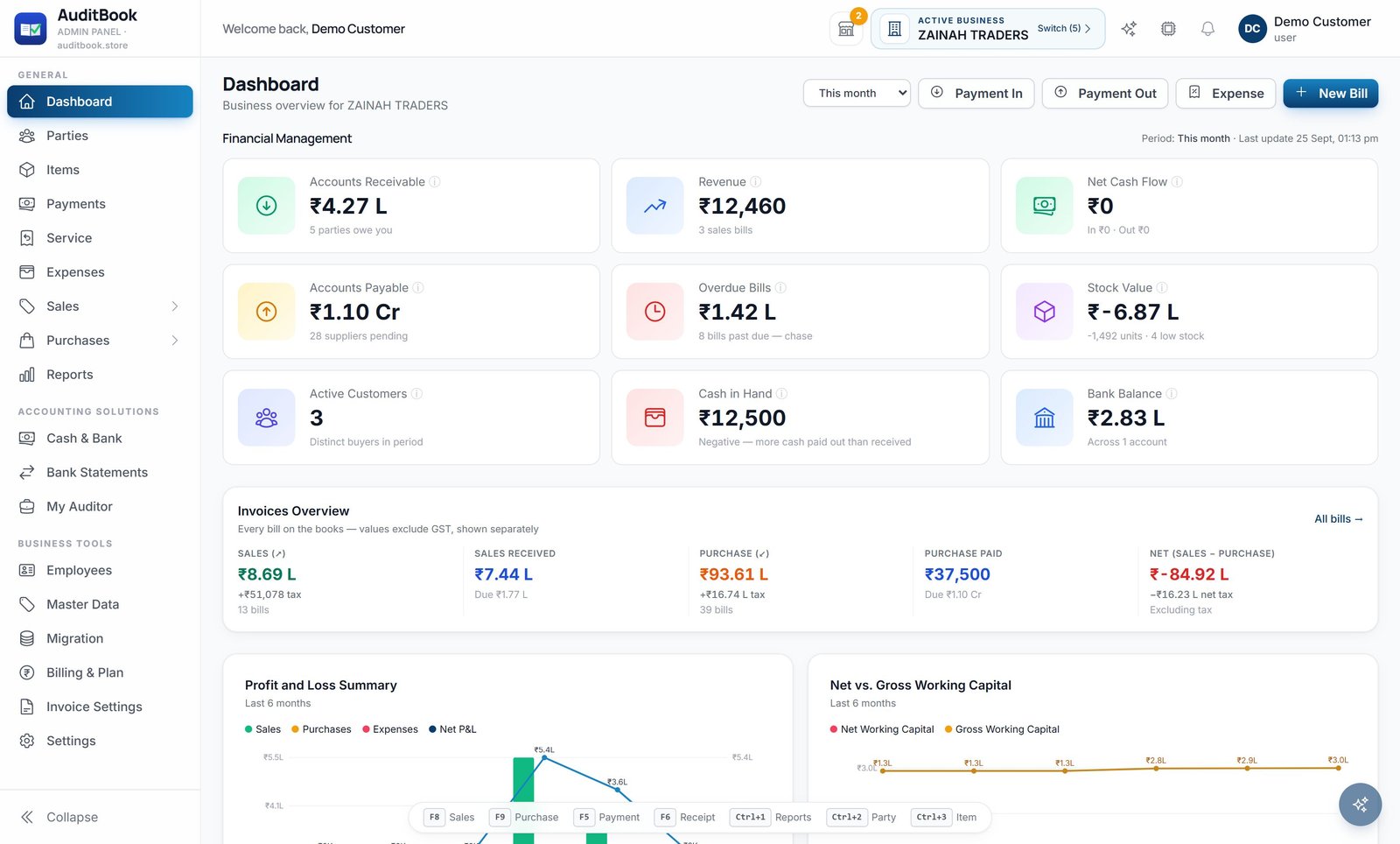
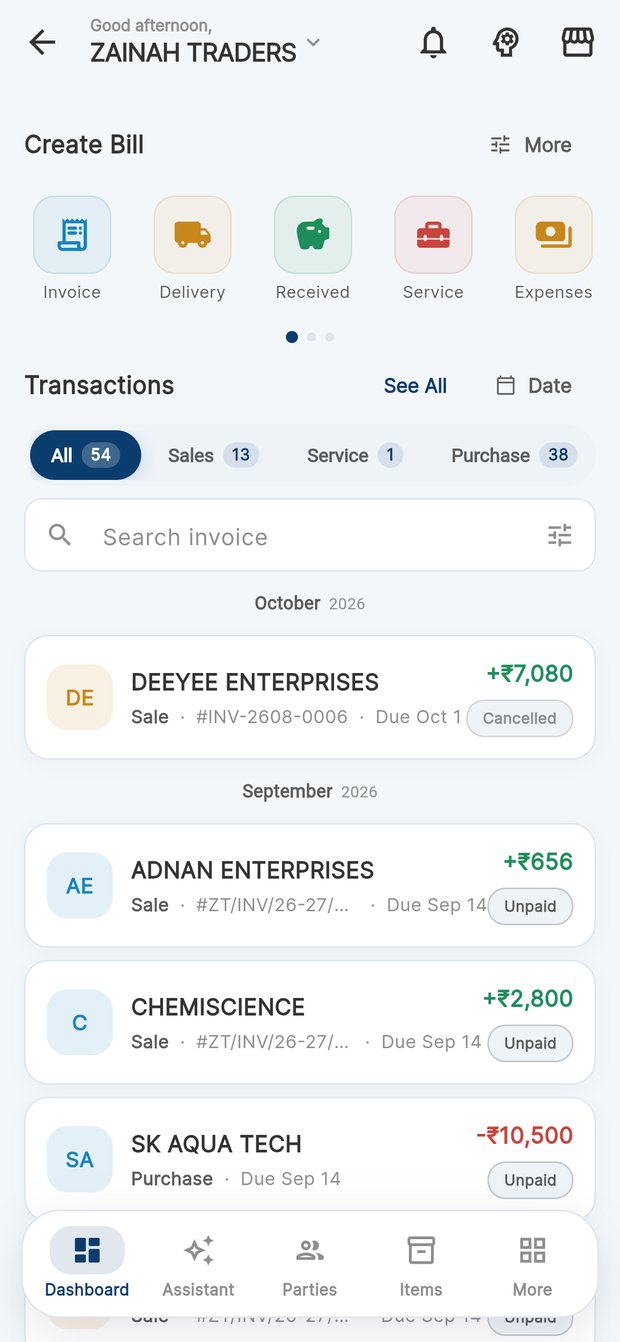
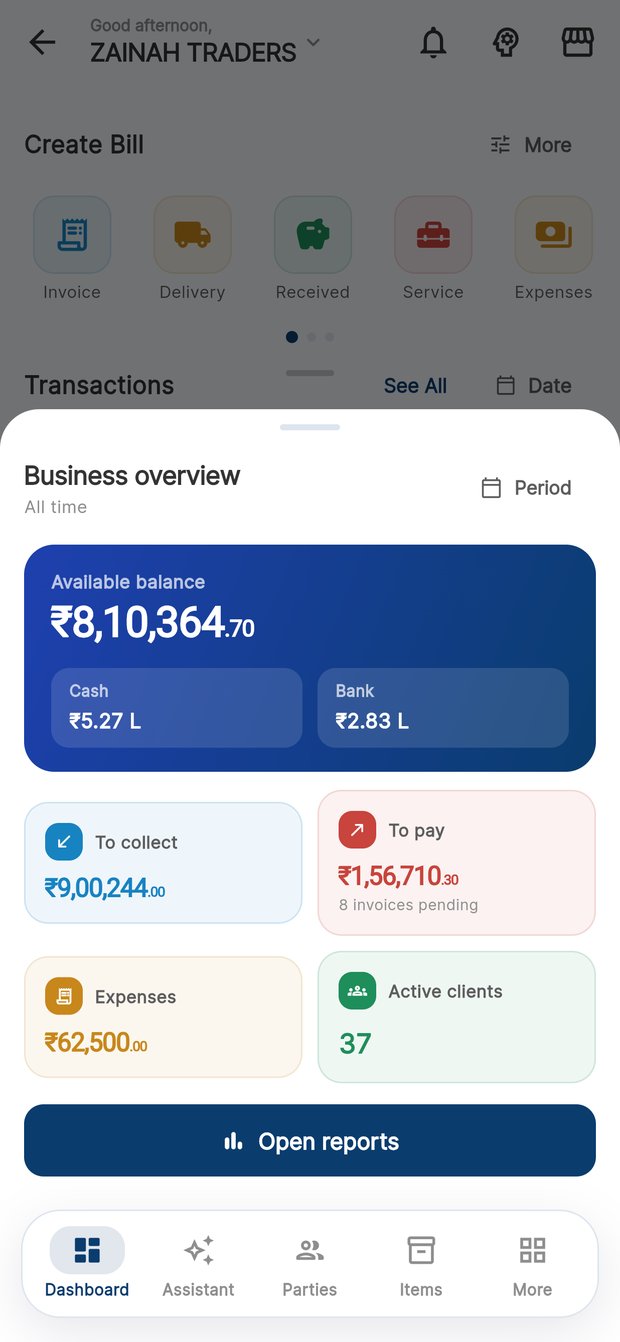
Receivables, payables, cash in hand and the month's profit — the same figures on the desk and in your pocket, because they come from the same books.
What AuditBook does
Most billing software hands your accountant a pile of invoices. AuditBook posts every one of them — to the ledger, the tax accounts and the stock — as it is raised.
Daybook, party ledgers, cash and bank books, trial balance — posted from your bills, not typed again.
See the booksCGST/SGST or IGST by place of supply, HSN summaries, GSTR-1 and 3B assembled the way the portal expects.
See GSTTax invoices, quotations, challans, credit and debit notes — with ageing, reminders and UPI on the bill.
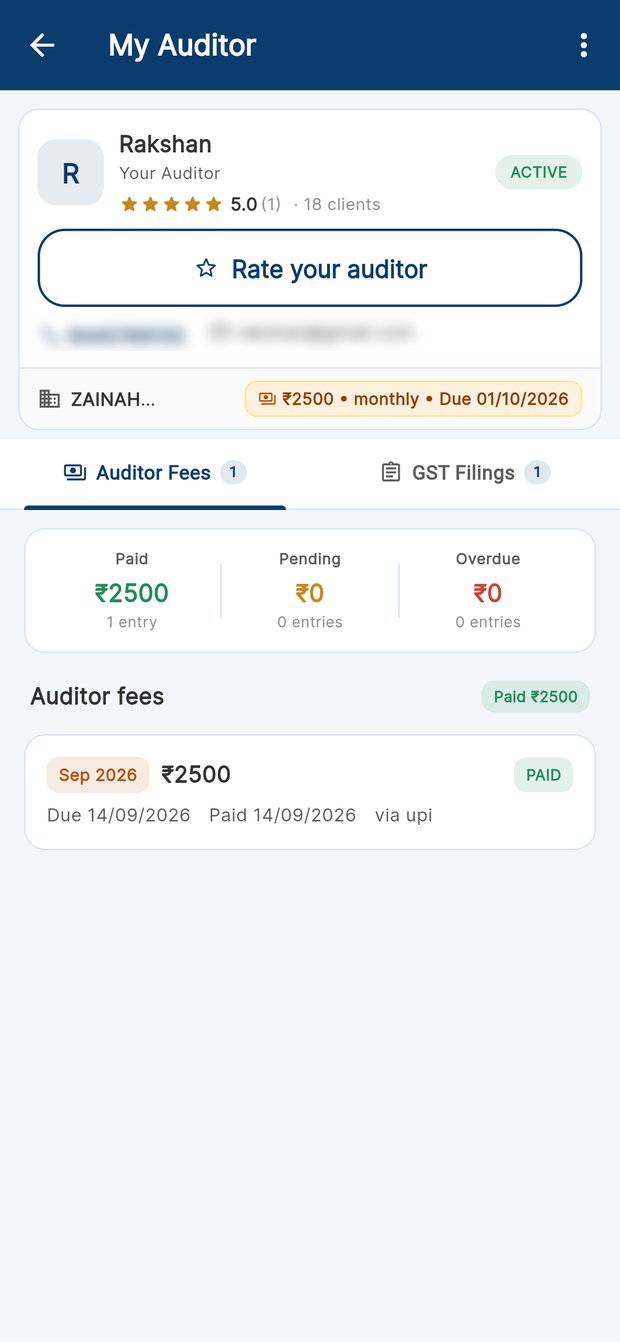
See billingGive your CA a login to the same books: filing status, fees, pre-filing checks and one-click exports.
See the practice deskAccounts & bookkeeping
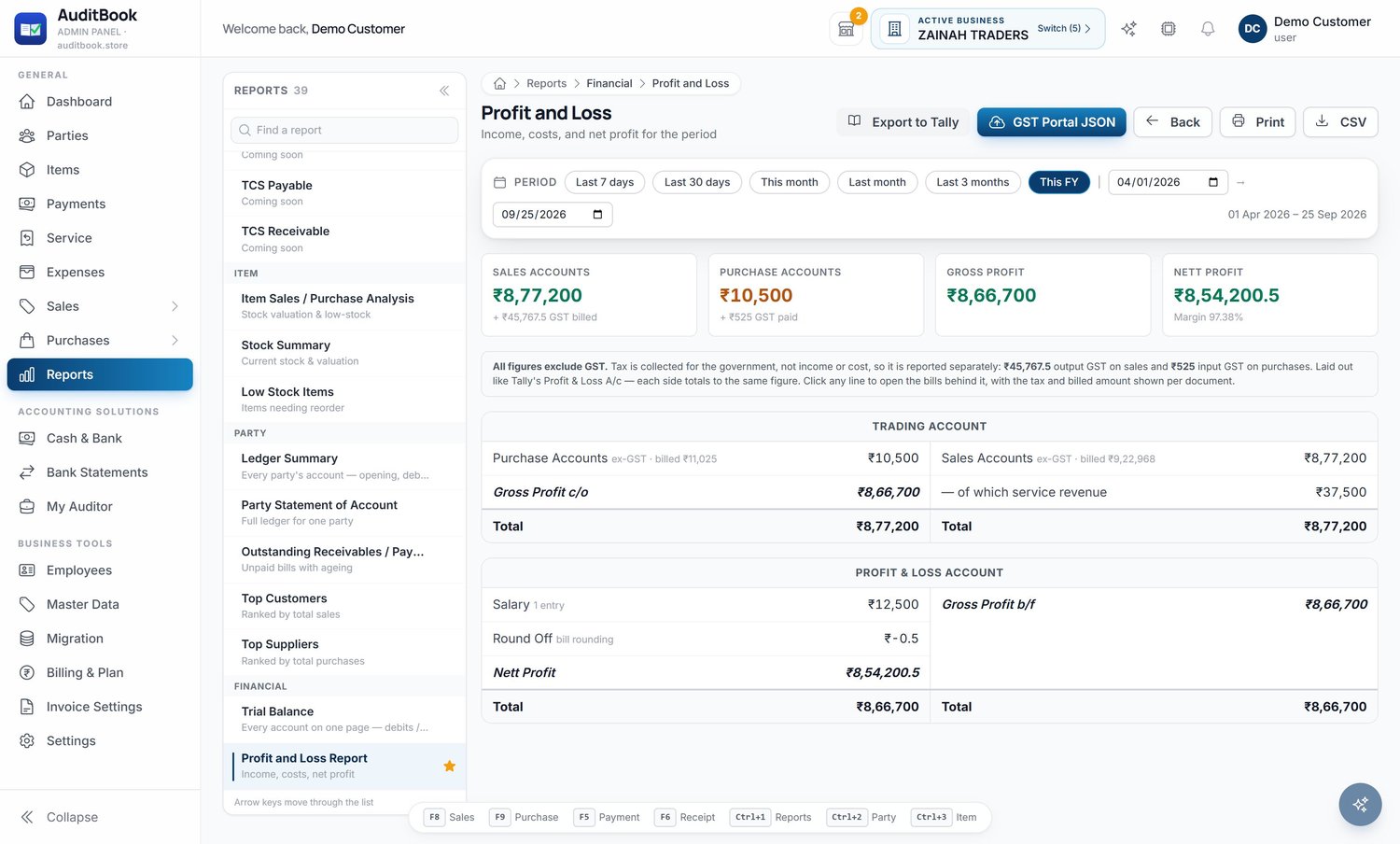
Laid out the way an accountant reads them — trading account on one side, profit and loss on the other, every figure clickable down to the document behind it.
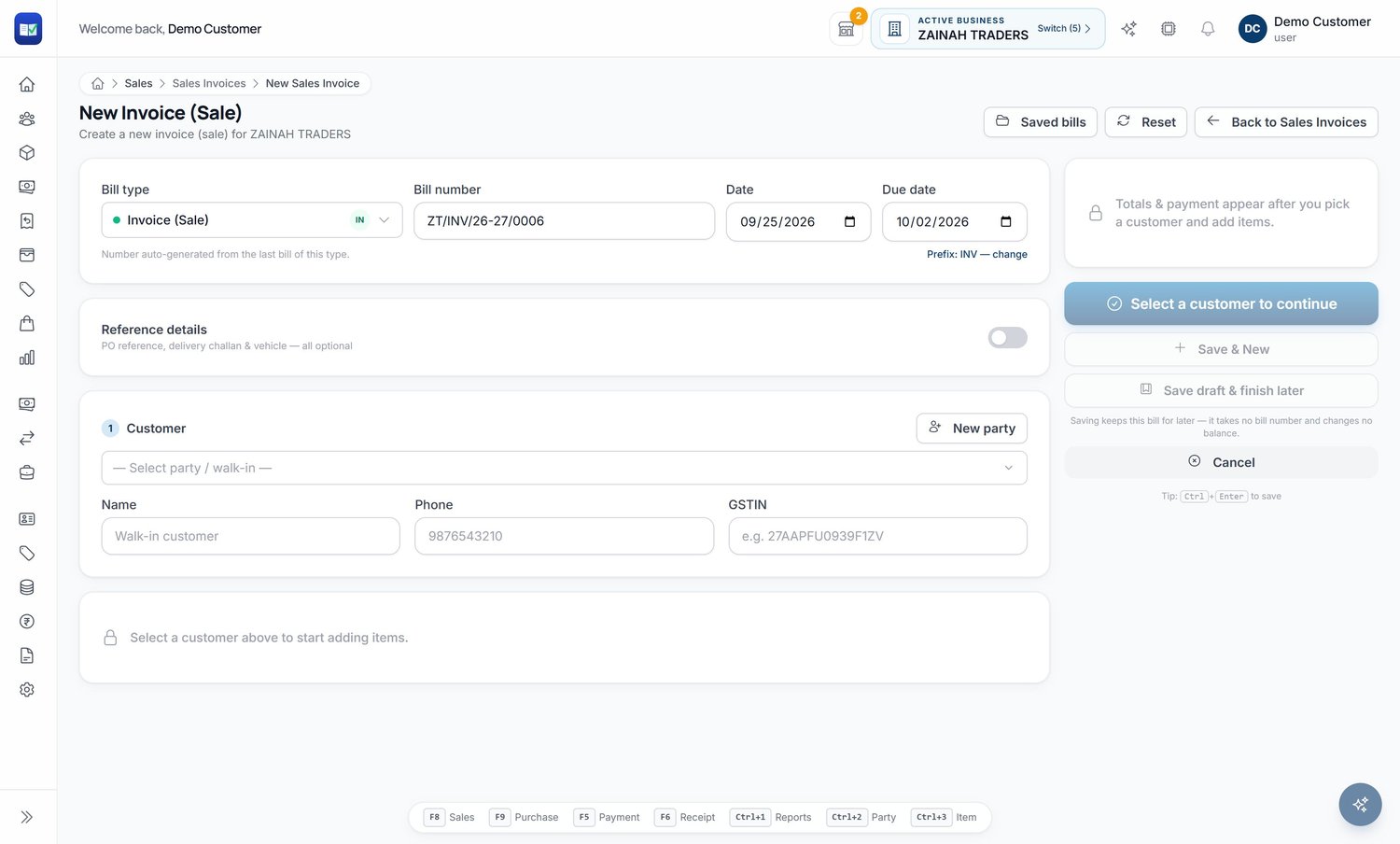
Billing that posts itself
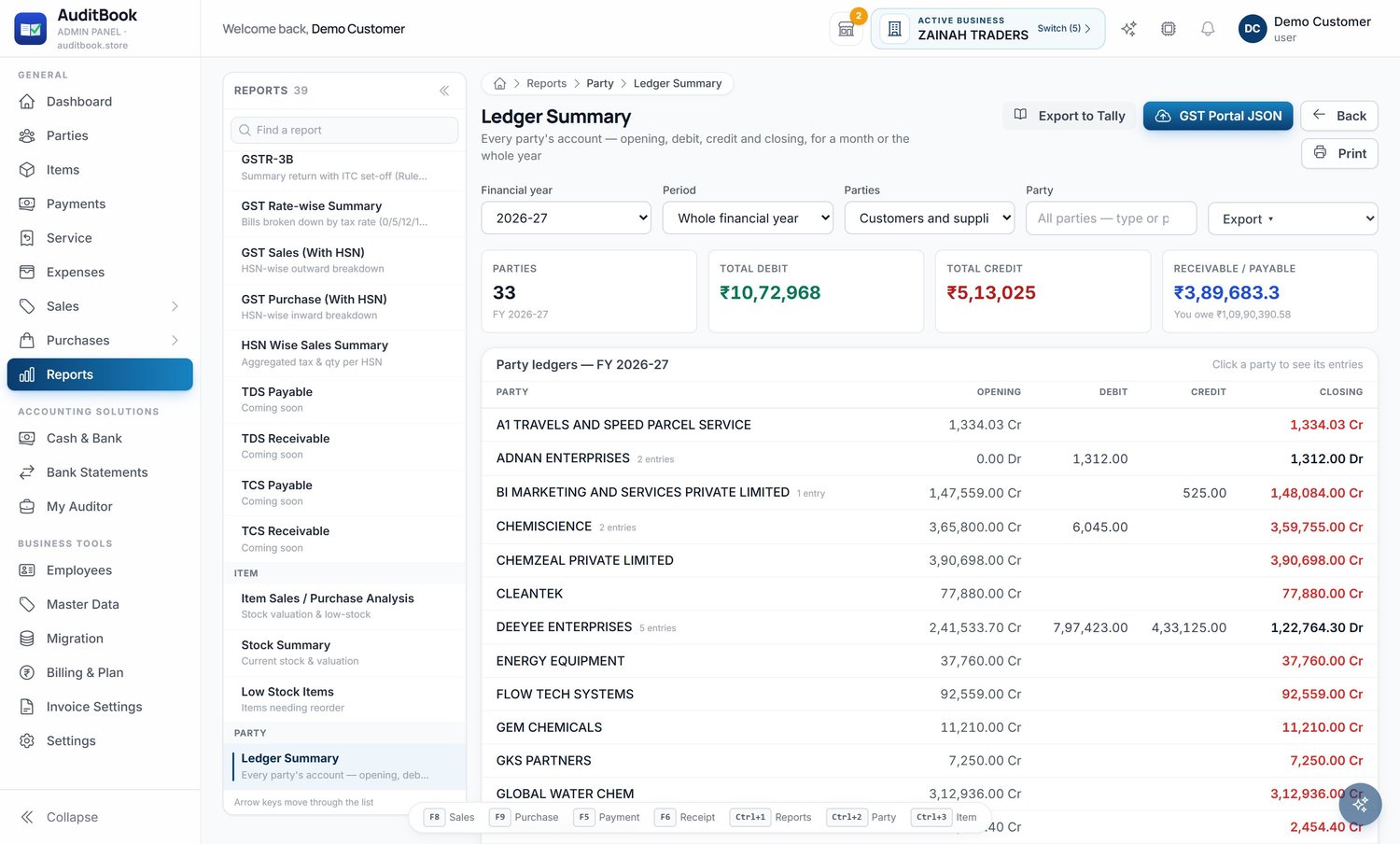
One entry updates the customer's ledger, the tax accounts, stock and the day's cash position. Nothing is entered twice, so nothing disagrees.
GST & compliance
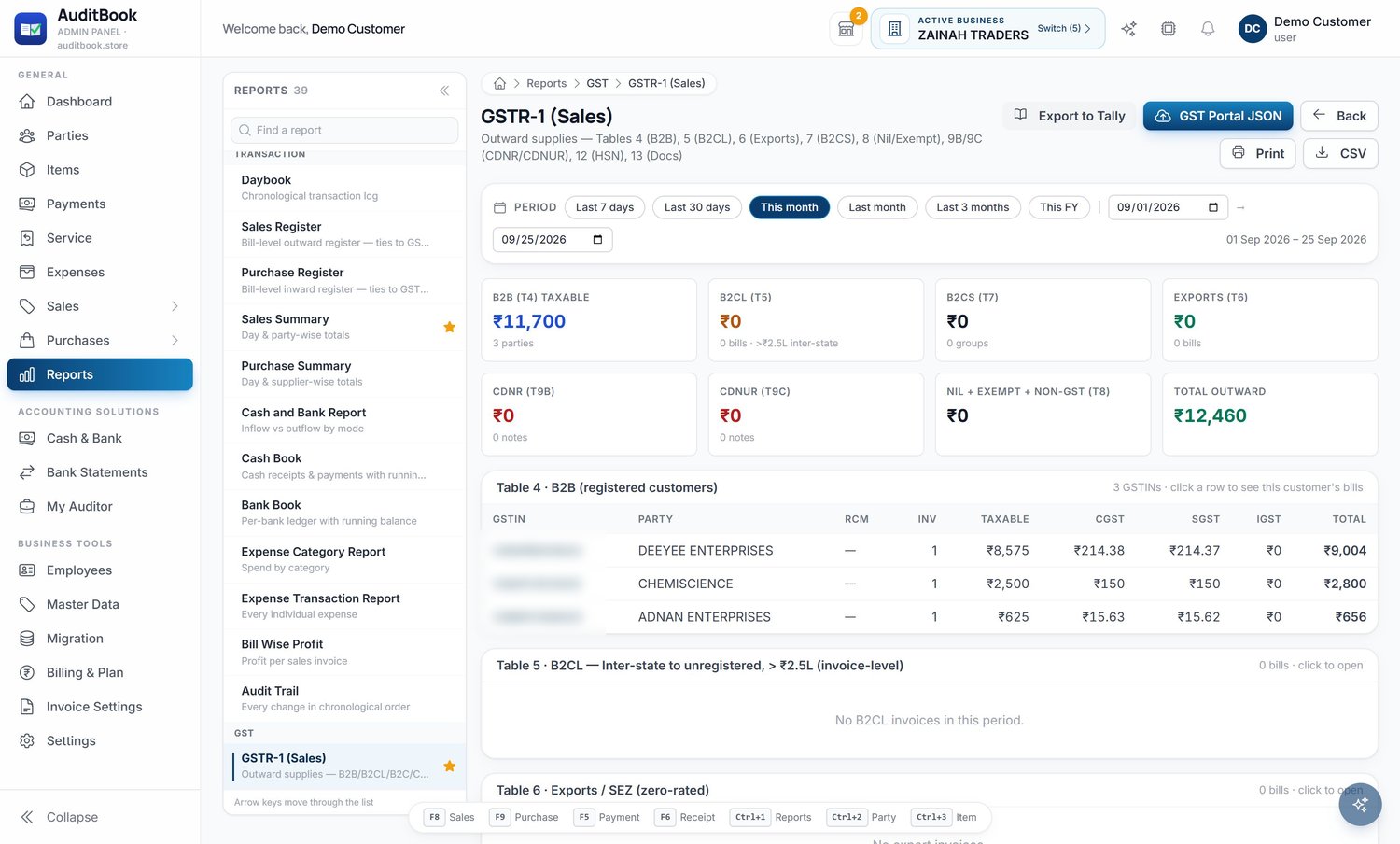
AuditBook does not stop at charging the right GST. It assembles the return the way the portal expects it, and hands your CA the file they asked for.
For CAs & tax practitioners
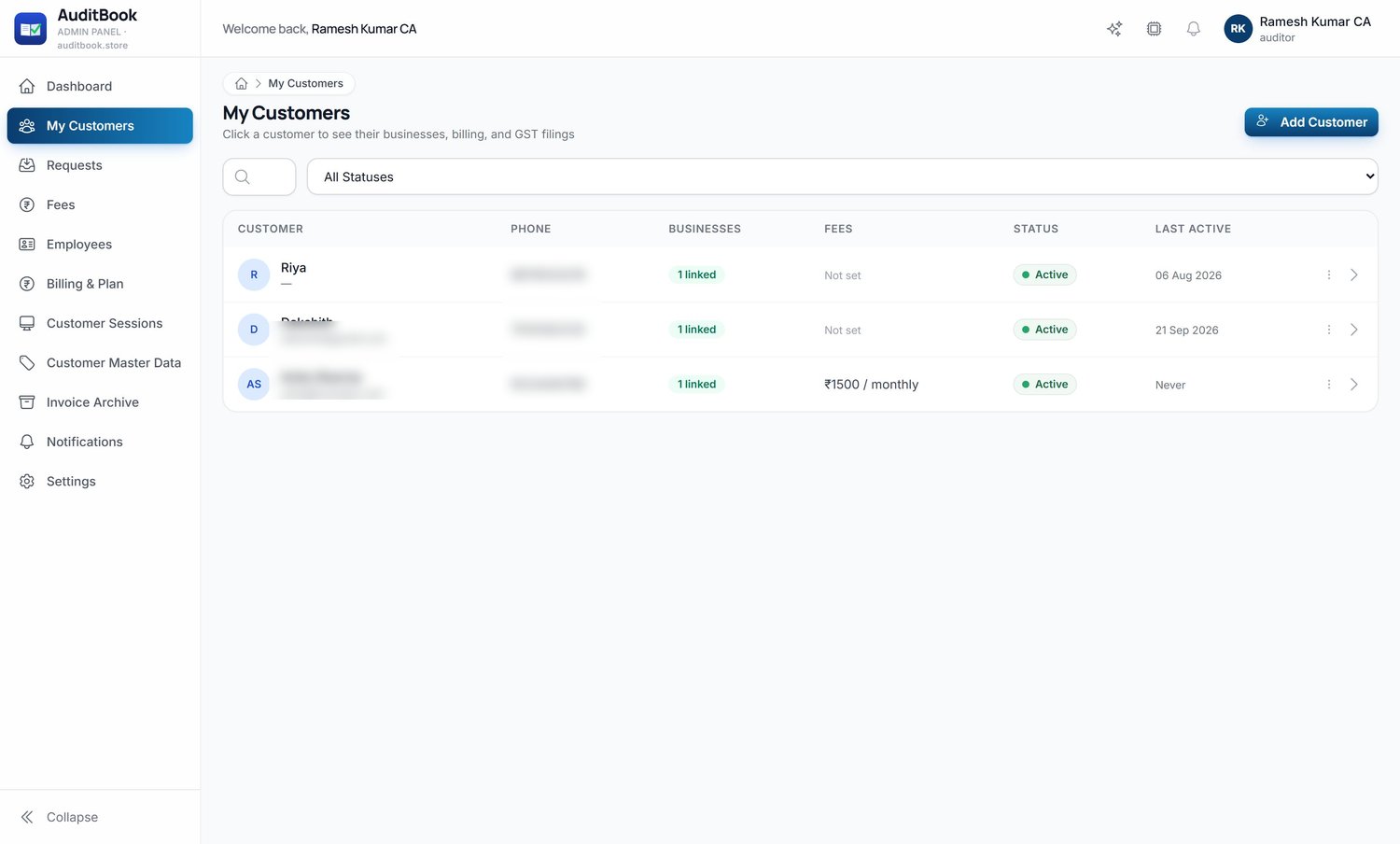
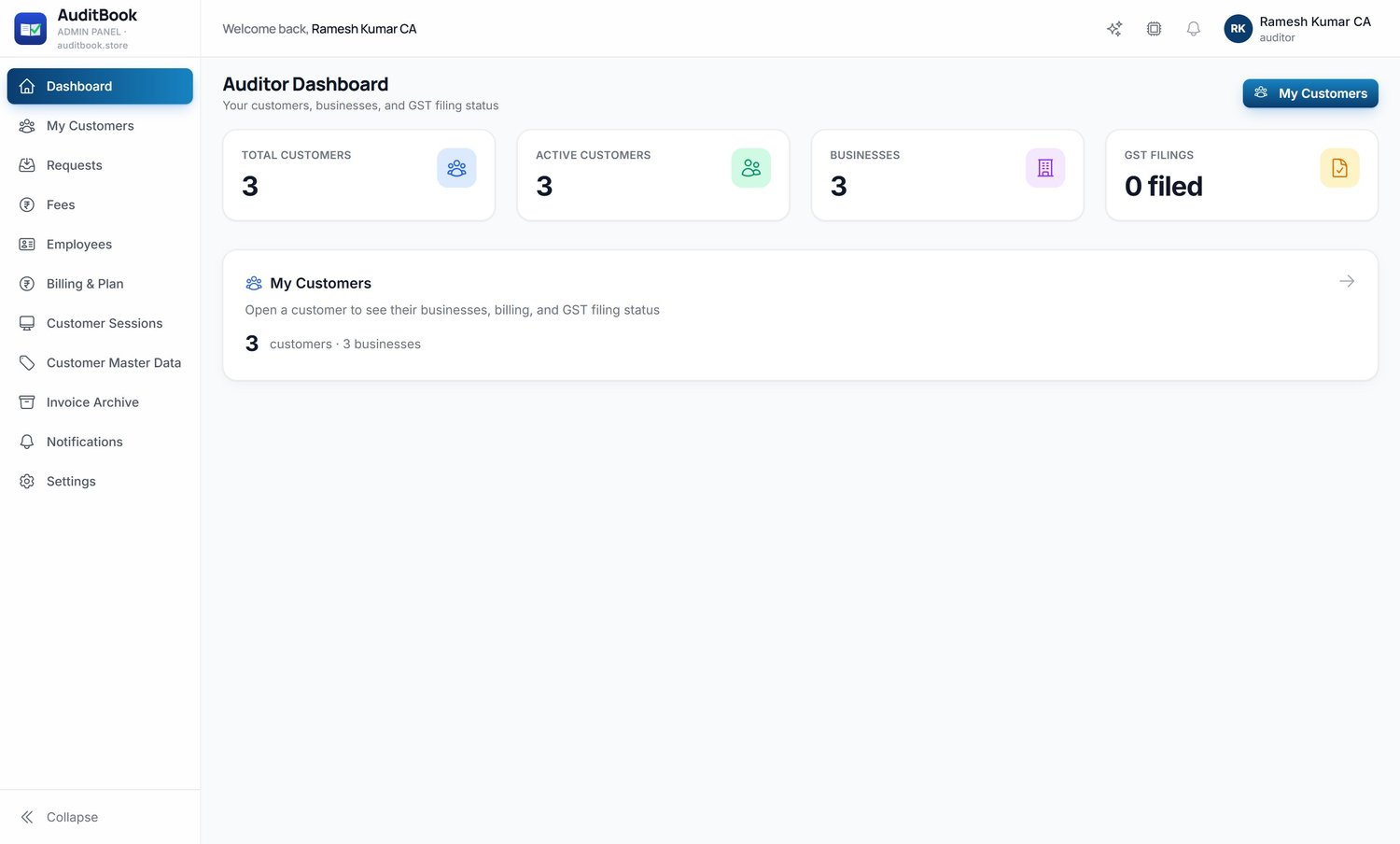
Your clients' books are already in AuditBook, so month-end starts finished. Open any client's accounts, check them before you file, and bill your fee.
Web · Desktop · Mobile
Bill from the counter on your phone, reconcile on the desktop in the evening, and let your auditor open the portal in the morning. One ledger underneath all three.
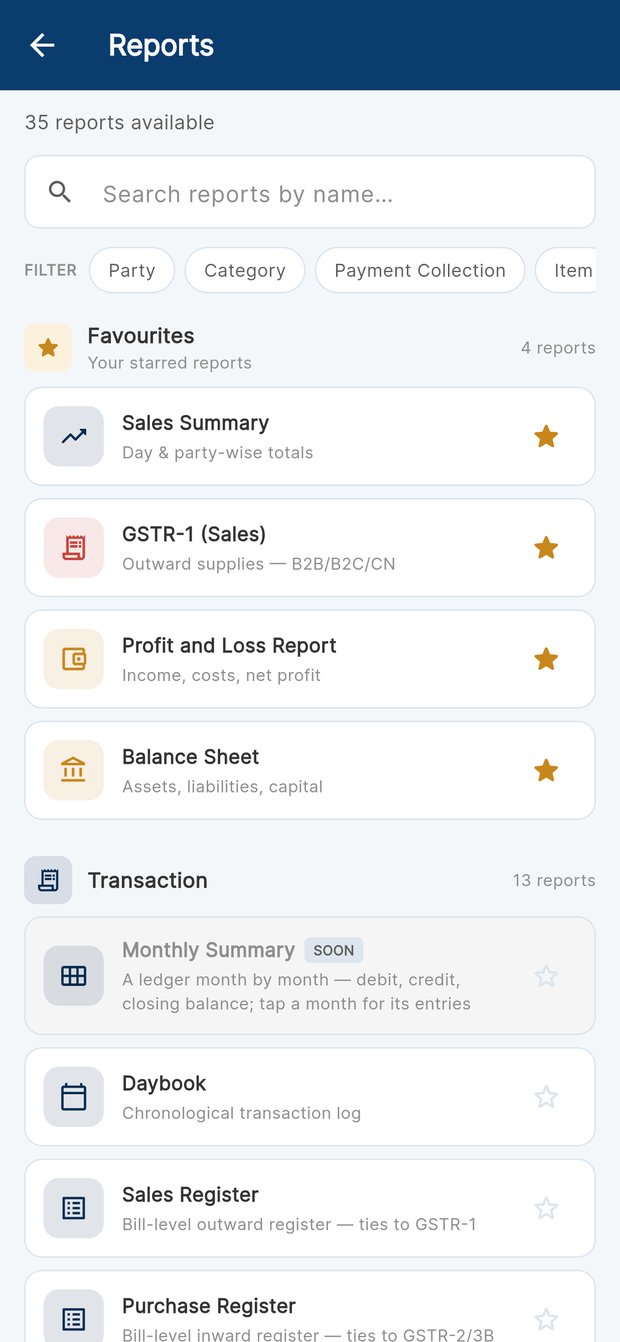
Raise a bill at the counter, check what is owed to you on the road, print shelf labels and receipts on a Bluetooth thermal printer, and see the same reports your accountant sees.
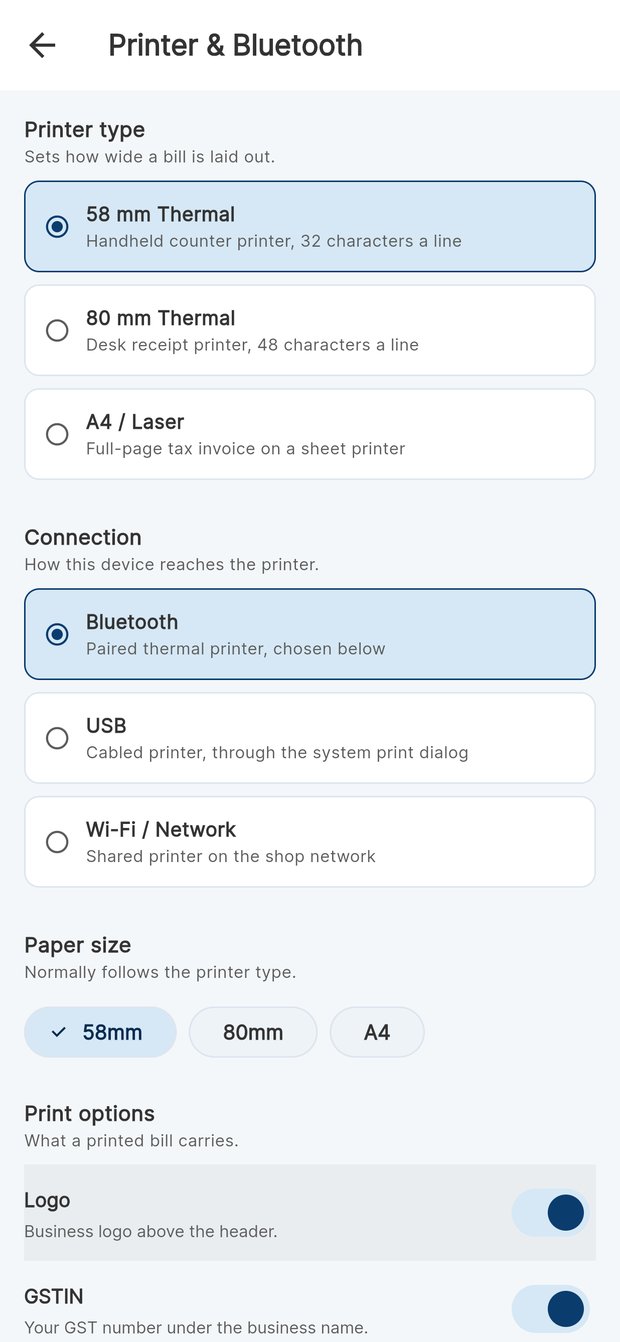
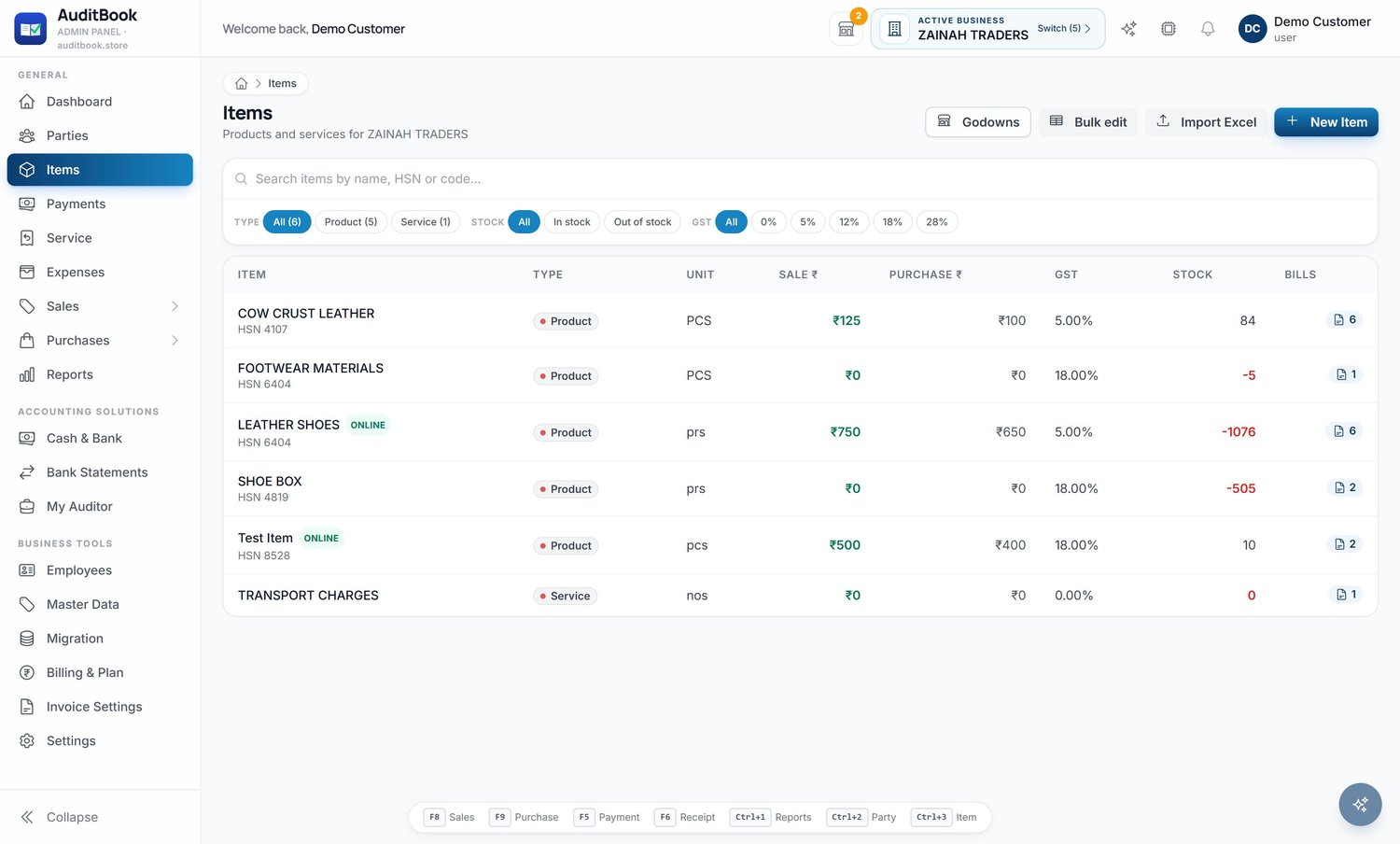
The full portal as a Windows application: open it from the Start menu, no browser to find, no URL to remember. One-click install, always on the current version.
How it works
Four steps, in the order a business actually does them.
Name, GSTIN, address and bank. Bring items and parties in from Excel or from your old software in minutes.
Counter, office or phone. Tax is computed per line and the entry posts itself to the ledgers and the stock.
Daybook, ledgers, cash and bank update live. Receivables ageing tells you who to chase before month-end.
GSTR-1 and 3B assembled, P&L and balance sheet ready, exports handed to your auditor — who is already inside.
Platform
The details that decide whether accounting software survives a busy shop floor.
Run several firms from one login and switch between their books in two taps.
Employees with per-module permissions, and an activity log of who changed what.
Every invoice edit versioned; cancelled or deleted bills can be brought back.
Your auditor opens your books only with the PIN you set — and you can change it.
Scan-to-pay on every invoice, so the money arrives while the customer is still there.
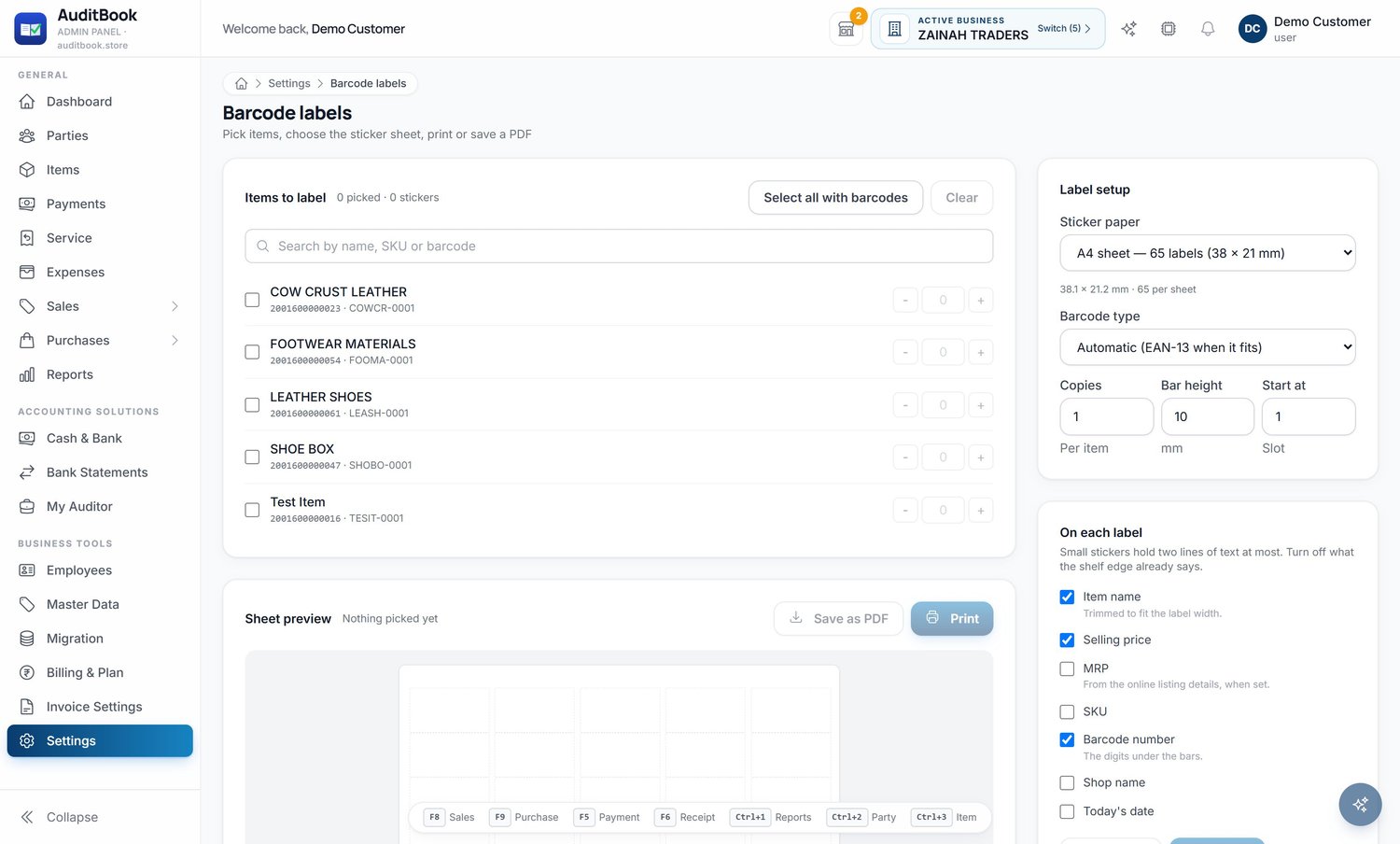
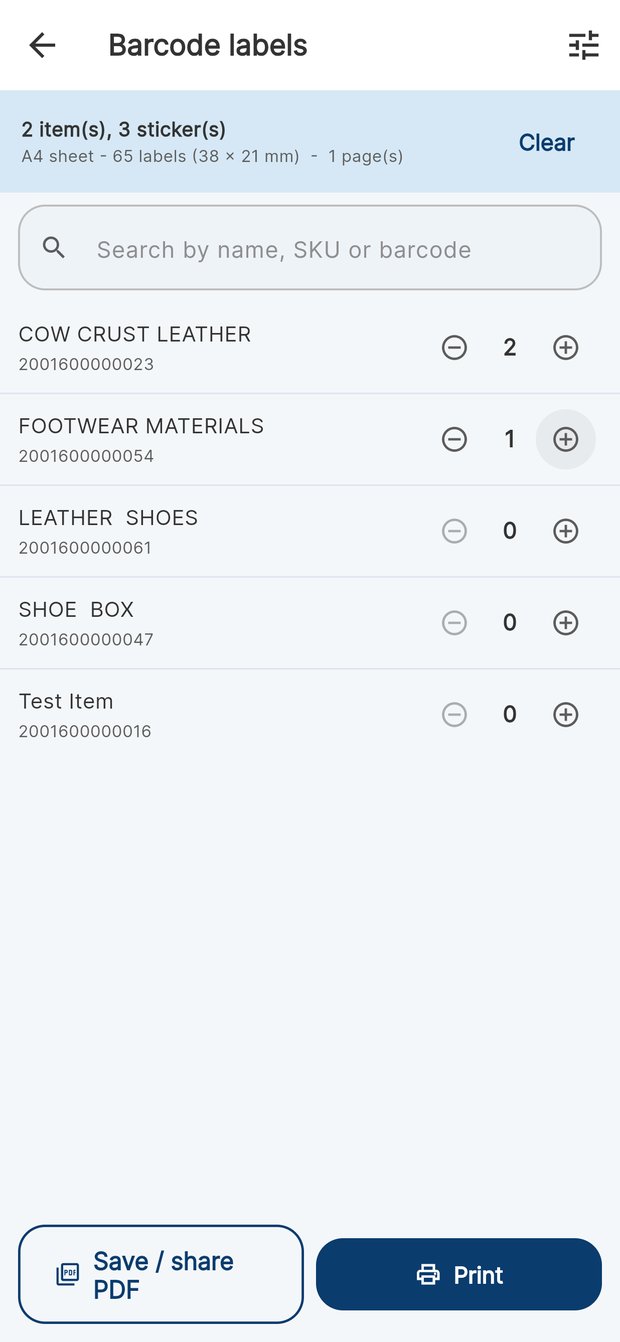
SKU and barcode on every item, printed to sticker sheets or a thermal roll.
Reorder thresholds per item, so the fast movers never run dry.
Publish items to your own shop page; each order arrives as a sale order in your books.
Pricing
Prices are per business account, exclusive of 18% GST. Change or cancel whenever you like — your data stays yours either way.
For a single business finding its feet.
Free forever
For a growing shop with GST to file.
or ₹1,990 a year
For multi-outlet owners and traders.
or ₹4,990 a year
For groups with staff and systems.
or ₹9,990 a year
Practising CAs have their own plans — Starter ₹999, Pro ₹2,499 and Enterprise ₹6,999 a month — with client limits to match the size of the practice.
Questions
Both, and that is the point. The billing screen is what you use every day; the accounting is what it produces. Each bill posts to the party ledger, the tax accounts, stock and cash, so the daybook, trial balance, profit and loss and balance sheet are always current rather than rebuilt at year end.
Yes. Your auditor gets their own login and sees the clients who invited them. They can record monthly GST filing status, run pre-filing checks, pull GSTR-1, 3B, Tally XML and ITR-ready P&L exports, and — with the access PIN you set — open your books directly.
Items, parties and masters import from Excel or CSV, and the migration wizard reads exports from Tally, Zoho, myBillBook and similar packages. Purchases can also be pulled in from the GST portal's GSTR-2B workbook.
Tax is decided by place of supply, so an inter-state bill gets IGST and a local one gets CGST plus SGST without anybody choosing. Reverse charge, nil, exempt and non-GST supplies, credit and debit notes, HSN summaries and all 36 state codes are built in, and GSTR-1 comes out as an upload-ready portal JSON.
Invoices print as branded A4 PDFs in eight layouts, or as receipts on a 58 mm or 80 mm thermal printer over Bluetooth. Product labels print as barcode sticker sheets (65, 48, 24 or 12 to an A4 sheet) or on a thermal label roll, with SKU, price and a scannable EAN-13 or Code 128 symbol.
You do. Every report exports to CSV, the books export as Tally XML, and invoices download as PDFs. Cancelled and deleted documents are archived rather than erased, and every edit keeps its history.
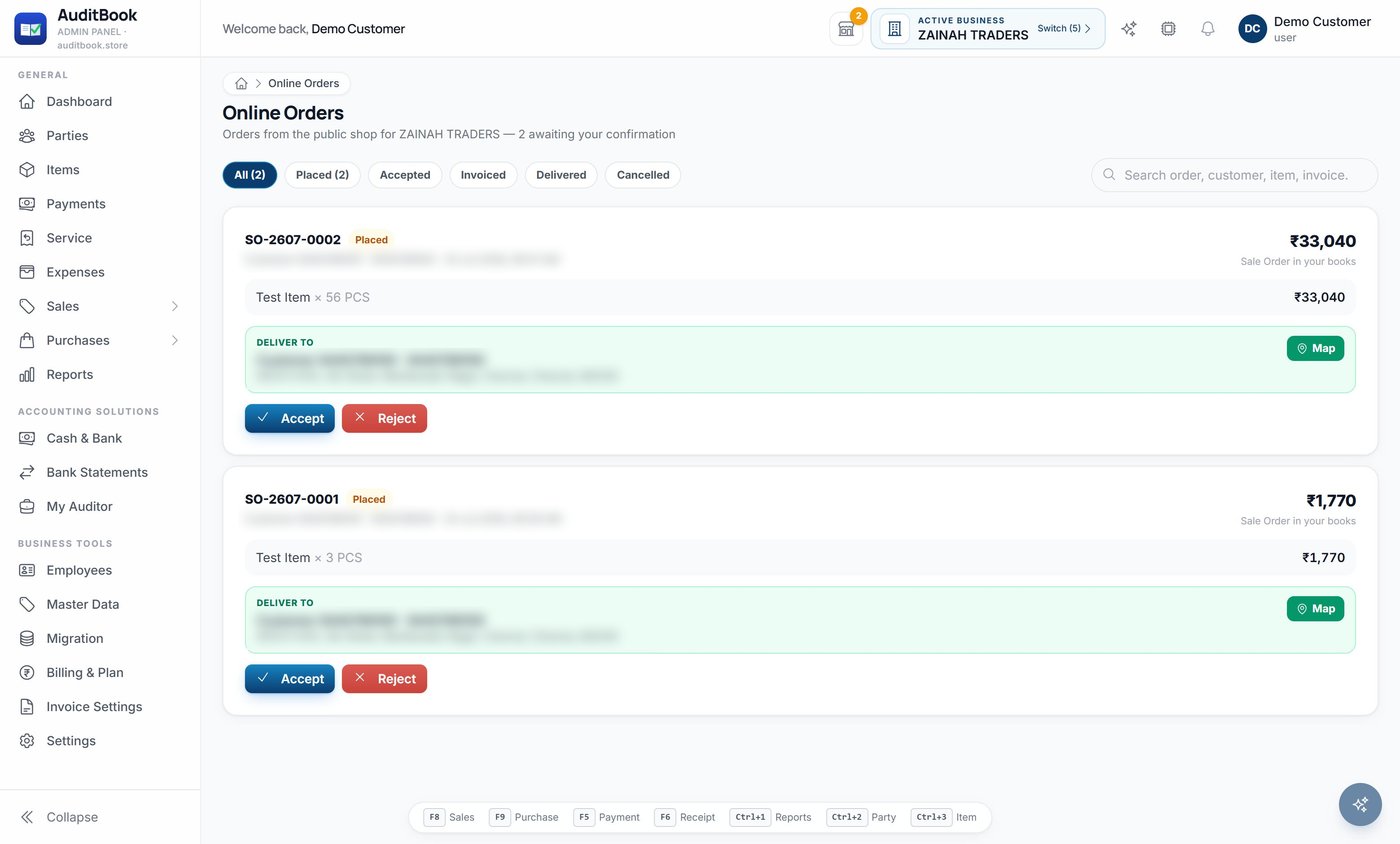
Online orders
Publish any item to your own shop page. Every order arrives as a sale order in your books, ready to accept, invoice and deliver — no re-typing, no missed calls.
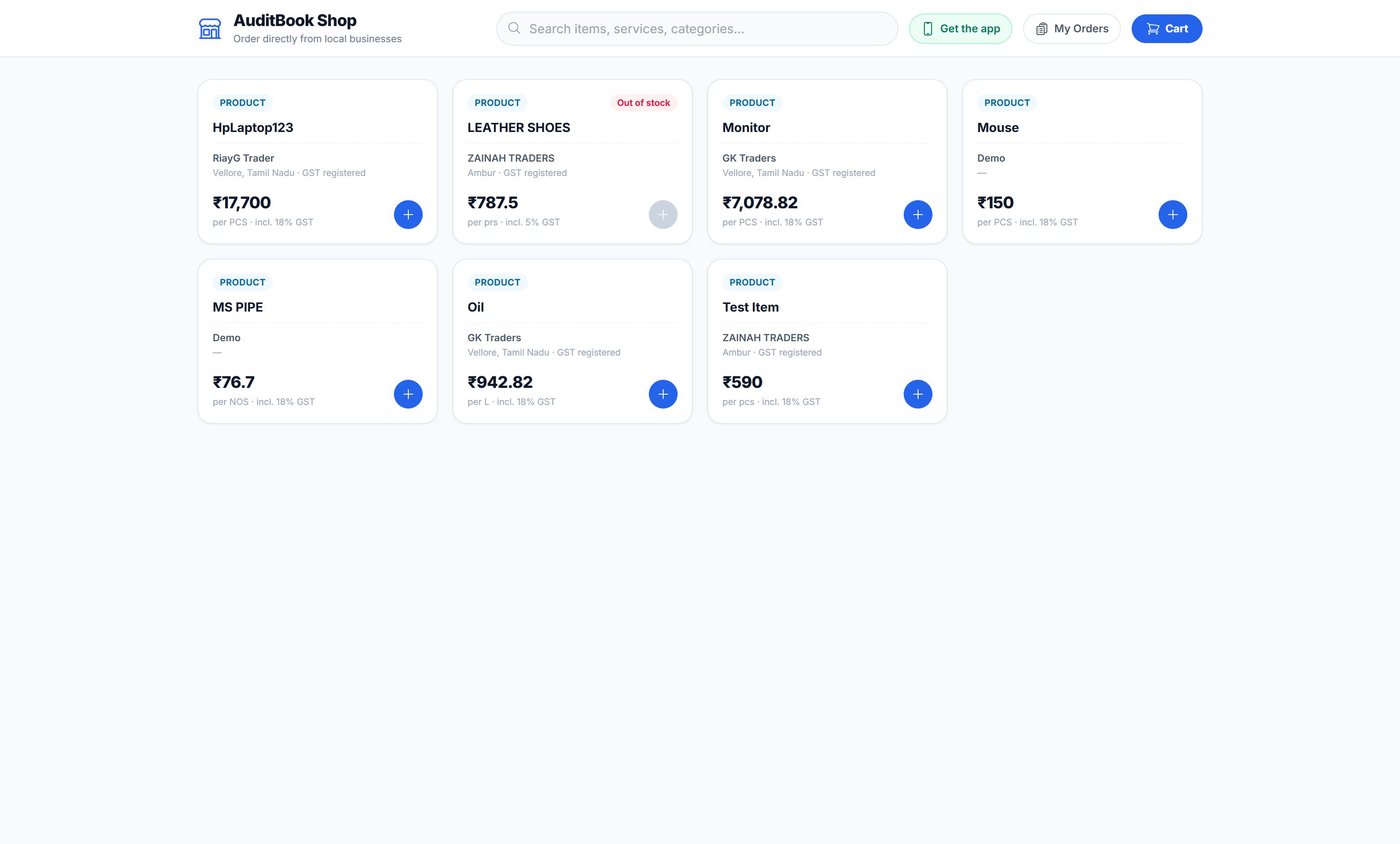
Start on the web in minutes, put the app in your pocket, and give your auditor a seat at the same table.